Features
Every feature, at a glance.
What Summit does today on air/OS and Haiku, written from its source and test notes. Each section links to the design notes on GitHub that describe how it works and how it was checked.
Everyday browsing
The things you do a hundred times a day, done with native controls: tabs that move between windows, an address field that finishes what you type, and sessions that come back after a restart.
Tabs that travel
Drag tabs between windows, pin them, mute them (a speaker shows which tab is playing) and reopen the last one you closed.
Smart address field
Inline completion of visited and bookmarked sites, suggestions from history, bookmarks and your search provider, ranked by visits and recency.
Bookmarks your way
Folders, a bookmarks bar whose folders open as menus, drag to reorder or drop tabs. Import from Firefox, Chrome and WebPositive with their history; export as bookmarks HTML.
Sessions and history
Windows and tabs are restored when Summit starts again. Background tabs can be unloaded to free memory and reload when you return.
Print and save
Printing, Save as PDF, page find, per-site zoom, a downloads panel and spell checking as you type.
Websites as apps
File › Install as App… reads a site’s web app manifest and gives it its own window and icon.
Design notesBookmarks Address field Unloading tabs
Chrome and Firefox extensions
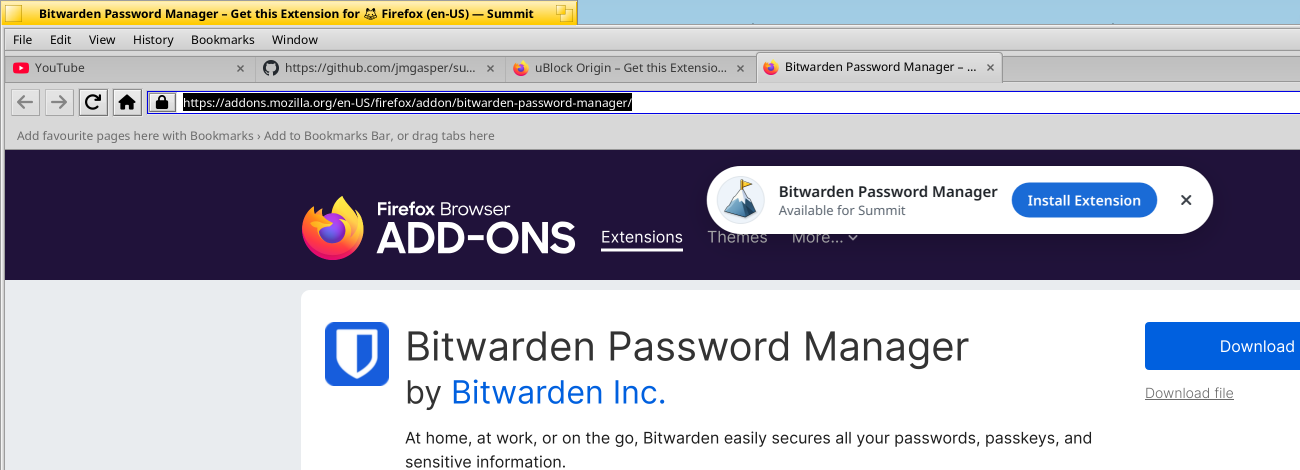
Open an add-on’s page on the Chrome Web Store or Firefox Add-ons and Summit puts an install card at the top of the page. Review the access it asks for in a native dialog before anything runs.
Both stores, one browser
Install Chrome and Firefox extensions from their own stores, or load a local CRX3, ZIP, XPI or folder package.
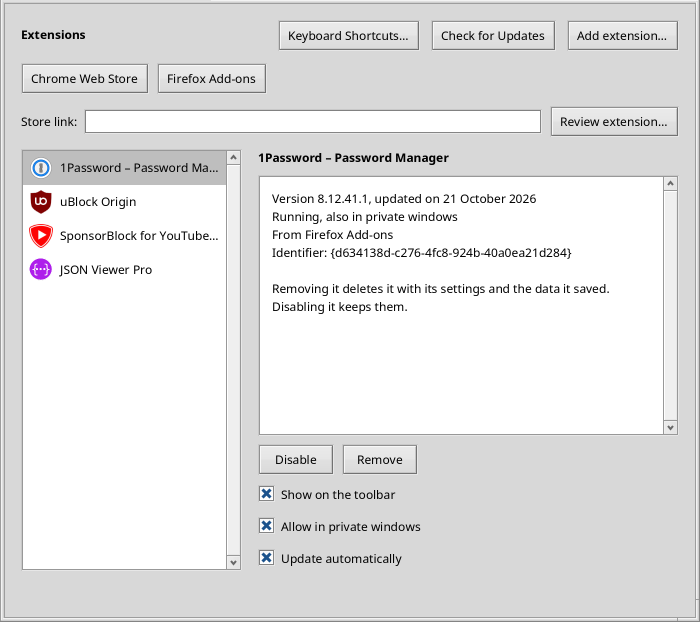
Native permission review
Every requested permission is shown before installation; approved extensions are restored across restarts and update from the store they came from.
Toolbar actions and popups
Extension buttons, badges and popups sit in the toolbar, with an overflow menu when there are many.
Verified with real add-ons
Published uBlock Origin and Dark Reader pass native runtime suites. 1Password sign-in, inline filling and passkeys are verified for tested versions.
Firefox packages are checked against Mozilla’s published size and SHA-256, but store signatures are not verified: install only extensions you trust. Not every Chrome or Firefox extension works yet.
Design notesExtension stores Verification record 1Password
Privacy and safety
Private windows, per-site permissions and warnings about dangerous sites, with the choices close to hand and the data on your own machine.
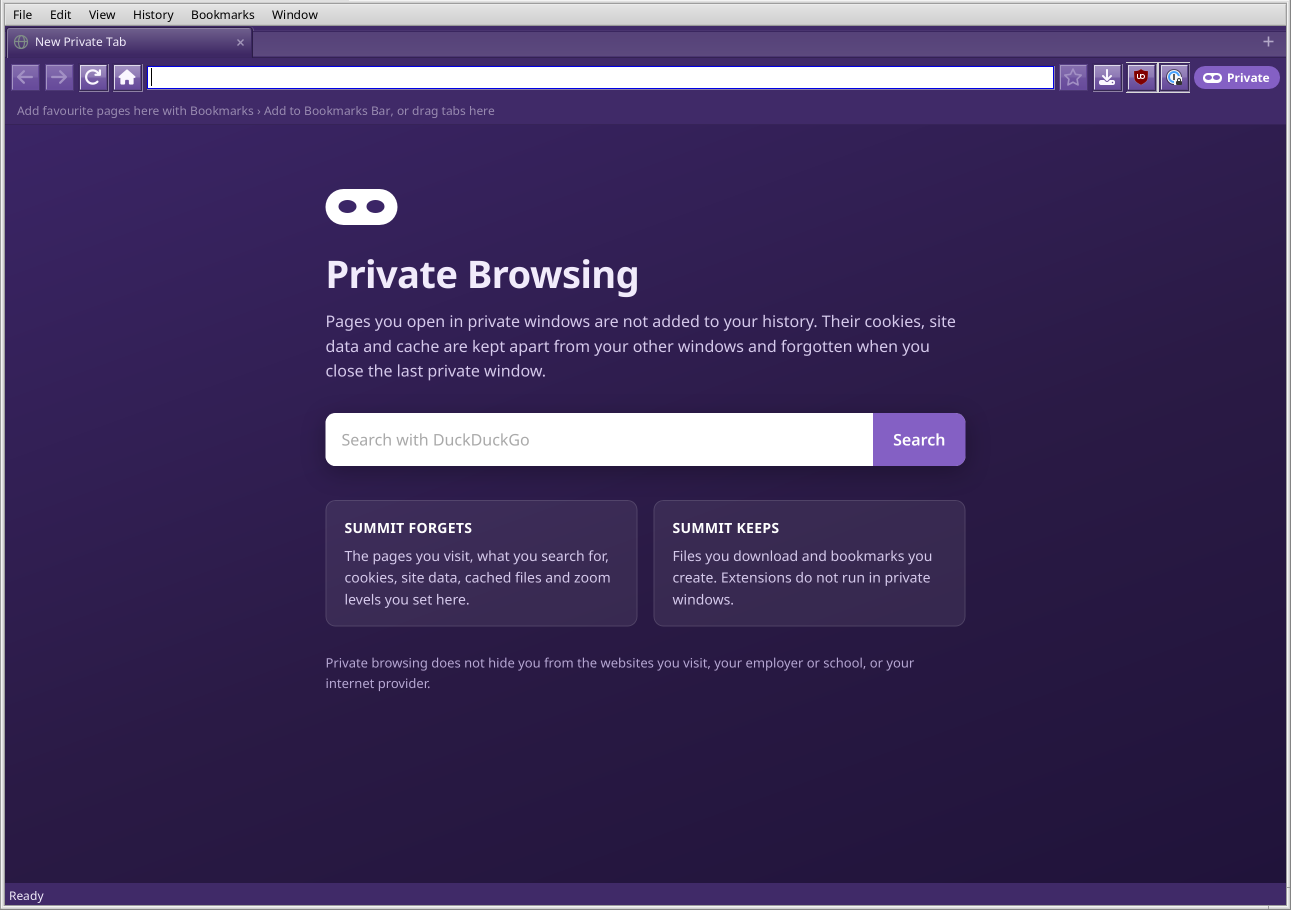
Private windows
Nothing you visit is added to history; cookies, site data and caches are forgotten when the last private window closes.
Cross-site tracking prevention
On by default: embedded content from other sites neither sends nor stores its cookies, and private windows strip click-tracking parameters from the addresses they open.
Fraudulent site warnings
Phishing and malware lists are downloaded in the background and checked locally. Nothing about the pages you visit leaves the computer.
Site permissions
Camera, microphone, location, notifications and devices are asked per site, and every decision can be changed in Preferences.
Certificates you can read
Clear warnings for broken or untrusted certificates, and connection details for every page.
Passwords and passkeys
Saved passwords live in the system key store. Web Authentication passkeys are kept by Summit, with password-manager extensions asked first.
Browsing data controls
Clear history, the cache, or cookies and site data from Preferences, each asked before anything is removed.
Design notesPrivacy Tracking prevention Site warnings Passkeys
Profiles and containers
Keep work and home apart. Each profile has its own history, bookmarks, settings, extensions, cookies and website data, and its own windows, each marked with the profile’s colour.
A window per profile
File › New Window in Profile opens a window of any profile alongside the others.
Colours and names
Create, rename, recolour and remove profiles in Preferences › Profiles.
Fully separate
Extensions, logins and site data never cross from one profile to another.
Containers
Firefox-style container tabs keep cookies and site storage apart within one profile: Personal, Work, Banking and Shopping to start, and extensions such as Multi-Account Containers can add more.
Design notesBrowser profiles Containers
Reading and translation
Reader mode clears away page furniture, a built-in PDF viewer keeps documents in the browser, and pages in another language are translated on your own computer.
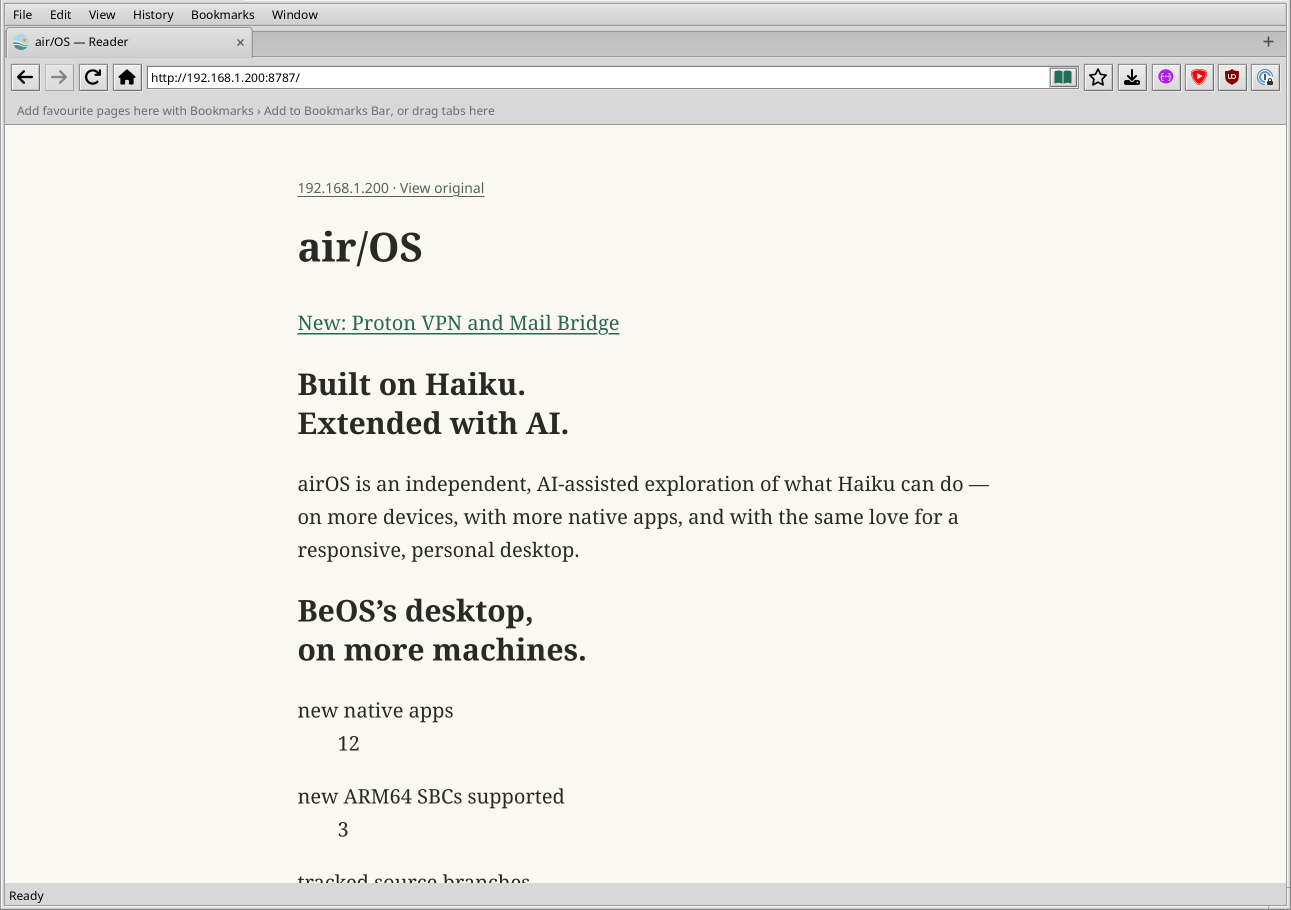
Reader mode
A book button in the address field turns an article into clean, readable text, keeping the original address in history.
Built-in PDF viewer
Navigation, search, zoom, password-protected documents and a download of the original file.
On-device translation
Summit offers to translate pages in other languages. Language files are downloaded once and verified; page text never leaves the machine.
Dark mode that follows you
With the system’s dark mode on, websites get prefers-color-scheme: dark, switching live in open tabs.
Caret browsing
F7 puts a movable caret in page text for keyboard selection, as in Firefox and Chrome.
Colour emoji everywhere
Bundled colour emoji fonts with skin tones, flags and joined sequences.
Design notesReader mode PDF viewer Translation
Video, audio and calls
Streaming video, Picture in Picture and video calls, using the hardware video decoders where the system has them and software paths where it does not.
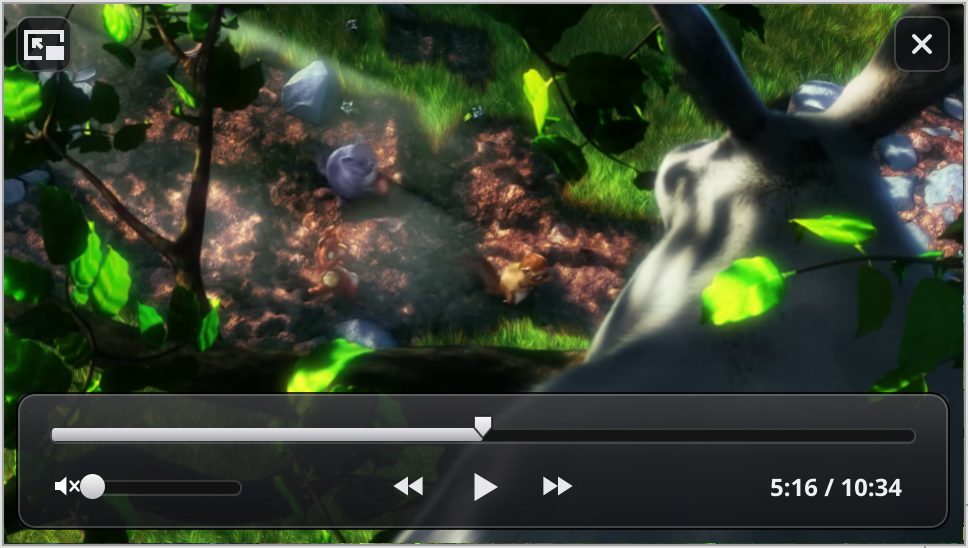
Adaptive streaming
HTML video and audio, MediaSource for MP4, WebM, AAC, MPEG audio and MPEG-TS, and direct MPEG-DASH with seeking, adaptive quality and live refresh.
Picture in Picture
A floating video window above every other window, on every workspace, with its own controller and a button back to the tab.
Video calls
Camera, microphone and screen or window sharing through WebRTC, with MediaRecorder and Web Audio for meeting apps.
WebCodecs
VP8, VP9 and H.264 encoding and decoding for web apps that handle video themselves.
Autoplay control
Choose whether sites may start playing sound on their own.
Clear Key encrypted media works; Widevine, PlayReady and FairPlay are not supported, so some subscription video services will not play.
Design notesStreaming Picture in Picture WebRTC
GPU graphics
Modern WebKit drawing with GPU compositing and WebGL where a suitable driver is present, and a complete software path everywhere else.
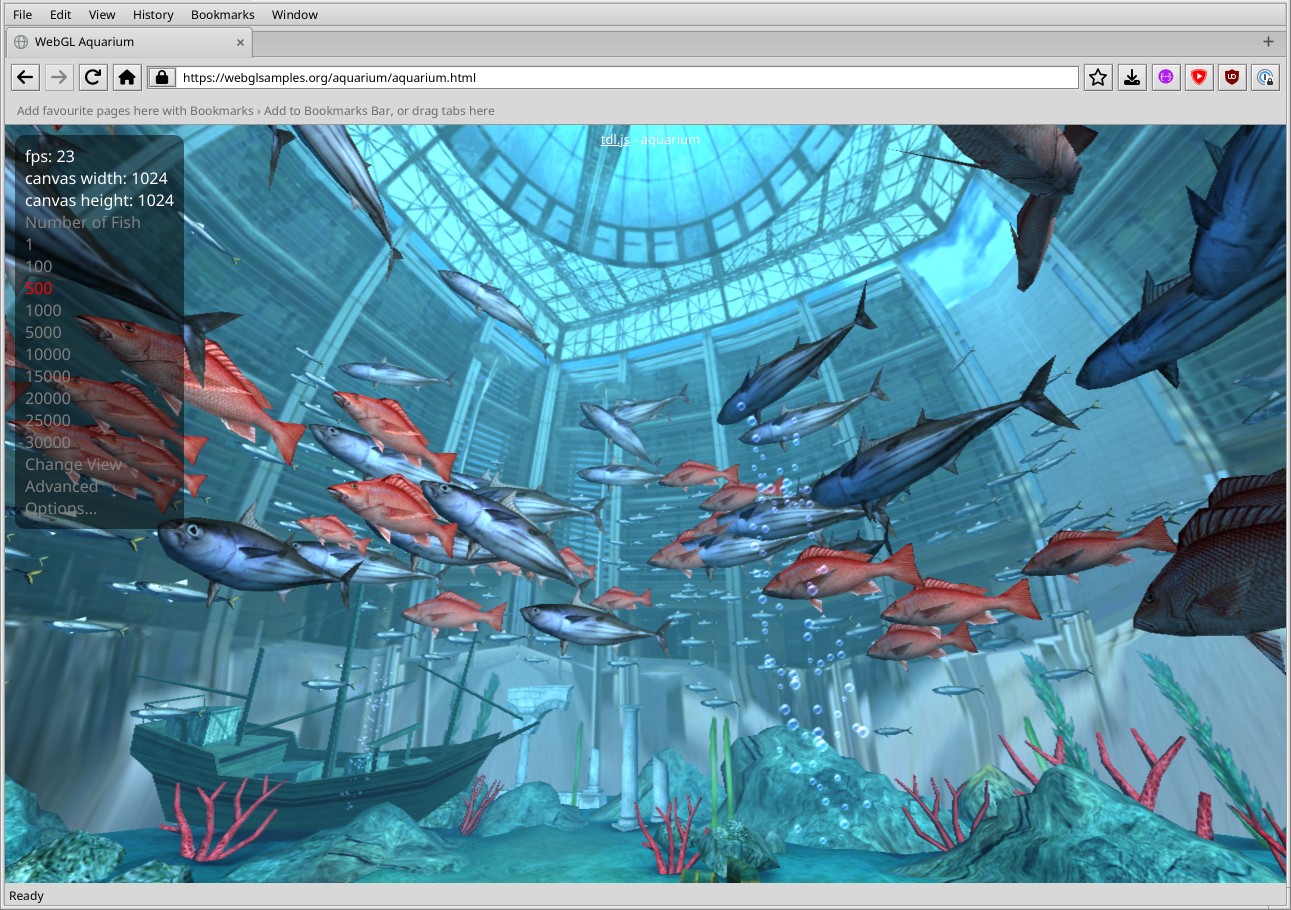
WebGL 1 and 2
Hardware-accelerated 3D on supported GPUs, including OffscreenCanvas with 2D and WebGL in workers.
Accelerated compositing
Layers, transforms, animations and blurs composited on the GPU, with frames paced to the display.
Sharp on high-density screens
Pages are drawn at the monitor’s real density, including fractional scales, so text stays crisp.
Modern image formats
JPEG XL and HEIC alongside the standard web formats, plus JPEG XR.
Design notesWebGL GPU compositing High density
Devices and the modern web
Web apps can reach real hardware with your permission, and the newest network and platform APIs are there for the apps that need them.
WebUSB and Web Bluetooth
Native device choosers, grants scoped to the site, protected-device checks and cancellation when the page closes.
Location and notifications
Geolocation through BeaconDB, and web notifications delivered as system notifications that bring you back to the tab.
WebTransport over HTTP/3
Streams and datagrams over QUIC, spoken by Summit’s own network process.
System integration
Native fullscreen, approved protocol handlers for external apps and websites, and links from other apps opening in new tabs.
Device access always needs a secure page and your approval. Physical WebUSB transfers and Bluetooth GATT reads still need wider device testing.
Design notesBluetooth WebTransport Permissions
Built for developers
A full inspector, a WebDriver service for test automation and a built-in MCP server that lets AI debugging tools look inside the browser.
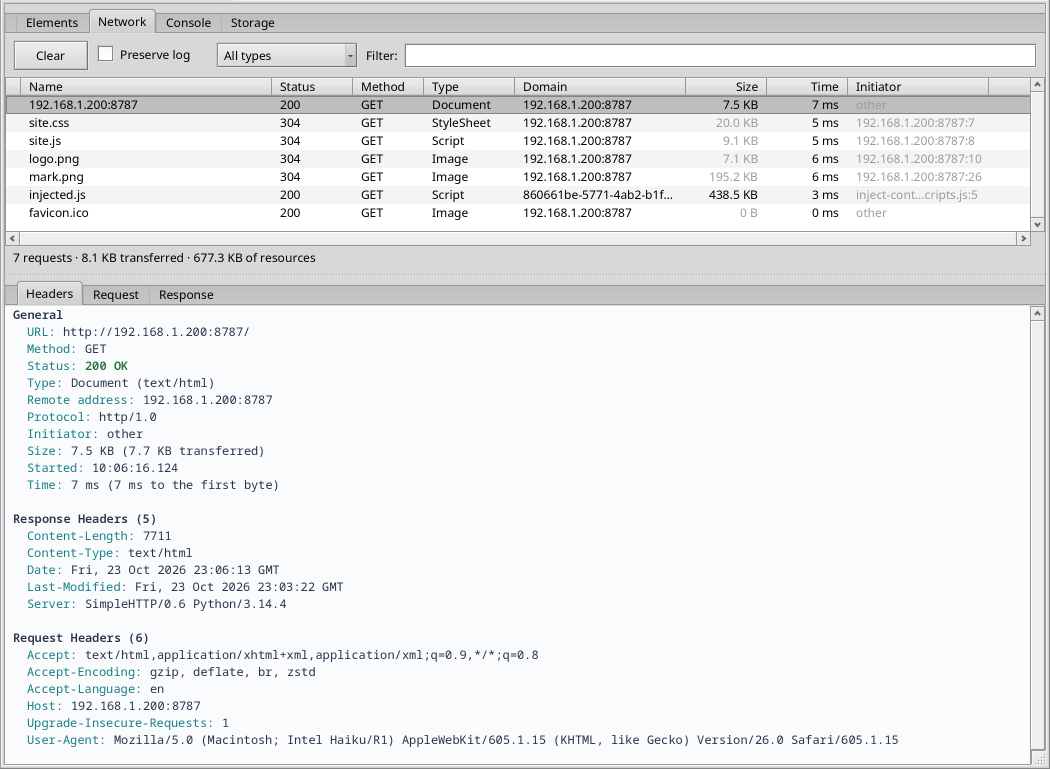
Developer tools
Elements with the live DOM, matched and computed styles and the box model; Console; Network; Storage; and an element picker with Inspect Element.
View Page Source
Alt+U shows the HTML exactly as the server sent it.
Built-in MCP server
Optional and off by default: lets tools such as Claude Code inspect tabs, pages, processes, memory, rendering, media and extensions on the same machine.
WebDriver
summitdriver drives Summit from Selenium, WebdriverIO or plain HTTP, as safaridriver does for Safari.
Design notesDeveloper tools MCP server WebDriver
Updates in the browser
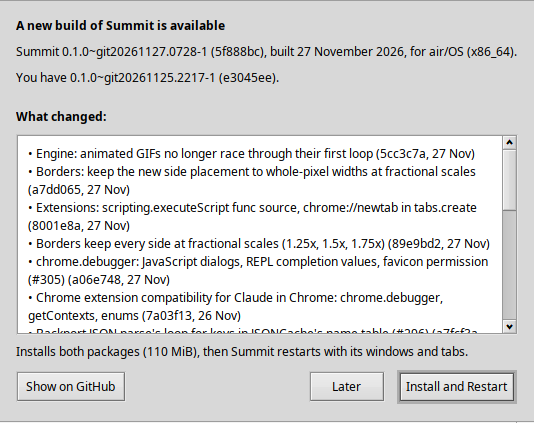
Summit keeps itself current. A daily check finds newer builds for your system, lists what changed, and installs them without losing your place.
Daily, or on demand
File › Check for Updates… asks at once; a daily check runs quietly in the background.
See what changed
The update window lists the commits between your build and the new one.
Install and Restart
Installs the browser and engine packages together and reopens your windows and tabs.
Design notesUpdates
Touch and mobile layout
On air/OS Mobile, or a 2-in-1 folded into a tablet, Summit switches to a touch layout. The same tabs and pages carry over, so switching back and forth keeps everything.
Phone layout
Address field at the top; Back, Forward, Share, Bookmarks and Tabs within thumb reach at the bottom.
Tablet layout
One toolbar with a row of tabs under it, as on a tablet browser.
Tab grid
Every open page as a card with a preview; tap to switch, swipe to close.
Mobile sites by default
Pages get their phone layouts, with Desktop Site in the share sheet when you need the full version.
Design notesMobile view
In development
Working in test builds or waiting on packaging, and not in the released browser yet.
WebGPU
WebGPU through Dawn on Vulkan runs end to end in test builds on NVIDIA hardware.
Speech recognition
webkitSpeechRecognition on a local Whisper model through the air/OS Neural Kit: no audio leaves the machine. Not in the packages yet.
Speech synthesis
The engine has it; air/OS images do not include voices yet.
Features reviewed against Summit 5cc3c7a on 28 November 2026. Some work better on air/OS than on stock Haiku; see Platforms.
Get Summit
Reach the whole web.
Summit comes with every air/OS image, and installs on Haiku in two packages. Android, Linux and Windows are next.